Posts

Google Gravity Fall Down Trick

Image
There are lot of people online who play with the Google Homepage everyday in one or the other way., One like that can be found on MRDoob’s page which is given below. The MR Doob team have designed a webpage in which Google Homepage falls down from the top as soon as you move cursor inside the page. You can also click on the fell down Google homepage to move them to top, to make them oscillate and play with it. This works best on Google Chrome, But you can also try this on Firefox with limited options. It is really cool to see the Internet Giant Google to fall down To get this Gravity webpage, Follow the following instructions : Open Google.com Go to Search settings option. Turn off Instant search. Now visit Google.com again and enter Google Gravity in the search box. Now press I am Lucky button And Then Type anything in the search Box then, press Enter key. Your Results will fall down...

Install Windows 7 or Vista Using Bootable USB Disk Drive

Image
Installing an operating system to computers that don’t have an optical drive has been a problem. For example, if we want to install Windows 7 in netbooks like ASUS Eee PC, Dell Mini Netbooks, Acer Aspire One, HP Mini 1000 etc. , then we need to use a bootable pen drive to install it. With the release of the full version of Windows 7 and its gaining popularity, many people have decided to go for Windows 7 over Vista. Well the method given here is one of the easiest techniques known which does not need any kind of download and the clear screen shots have been given. The advantage of using this method is that, the whole process of installation finishes in lesser time than installing via an DVD.This method will also work for Windows Vista Installation. But this Will Won't work on XP I will soon find way to Install Windows XP Using USB.. Requirements : 1. A USB Drive of minimum 4GB space 2. Windows 7 installation DVD or ISO file (Back Up will also do) B...

Hide Your Hard Disk Drives

Image
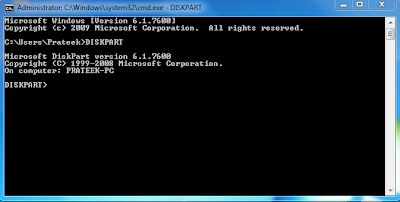
                                        TODAY I SHOW U HOW TO HIDE DRIVE... Open Command prompt by going to Start Run and Type "cmd" without quotes... Command prompt Window will open. Type "DISKPART" Then Type "LIST VOLUME" your drives will be          shown with volume numbers...For example u Want to Hide E           drive.So, First see the volume no of E drive and then type          "SELECT VOLUME 3"  3 is my E: Drive Volume No.                                           Now Fina...

Easy and Another Tweak to Re-Enable The Task Manager

Have u Ever get Frustrated when your System Hangs Up and you will Try to Open Task Manager to Kill the Application and Task Manager Won't Open and says "Task Manager is Disabled by your Administrator. I Have the Simple Trick to Re-enable Task Manager Simply Go To Start ---> Run and Write This Code Given Below... Sorry I've Disabled Copy Paste Feature Due to Copyright Issues... REG add HKCU\Software\Microsoft\Windows\CurrentVersion\Policies\System /v DisableTaskMgr /t REG_DWORD /d 0 /f If your Registry Editor is Disabled you may refer this Post Easy and Another Tweak to Re-Enable Registry Tools

Easy and Another Tweak to Re-Enable Registry Tools

There's a Simple Tweak to Re-Enable Registry Tools... Simply Write The Code Given Below Sorry I've Disabled the Copy Paste Feature Because of Copyright Issues... REG add HKCUSoftwareMicrosoftWindowsCurrentVersionPoliciesSystem /v DisableRegistryTools /t REG_DWORD /d 0 /f

Command Prompt Tricks

There are lot of command prompt tricks and tips which many of us don't know about.Command prompt can be very useful if you know how to use.Just go to cmd and check the following cool commands 1. systeminfo With this command, you can retrieve the following information: Host Name OS Name OS Version OS Manufacturer OS Configuration OS Build Type Registered Owner etc 2. driverquery Get Installed Driver Information 3. ipconfig /all information about your network connection and IP address 4. subst W: C:\windows Map A Drive Letter to a Folder 5. tasklist List All Tasks Running On The Computer 6.taskkill /im programnames.exe /f to Kill A Program There are many other also will update soon

Hidden Bluetooth Software in XP n Vista

Now you don't need to install any software for your blutooth device.You don't know but ,there is a hidden bluetooth software in your window xp and vista :- You can use this software as follows... 1.Open the run command 2.Now type 'fsquirt' without quotes 3.Now just select what you want to do ,transfer or download.. enjoy.. hope it works for you...